102 lines
2.3 KiB
Markdown
102 lines
2.3 KiB
Markdown

|
# SimpleMDE for Kirby <a href="https://www.paypal.me/medienbaecker"><img width="99" src="http://www.medienbaecker.com/beer.png" alt="Buy me a beer" align="right"></a>
|
||
|
|
|
||
|
|
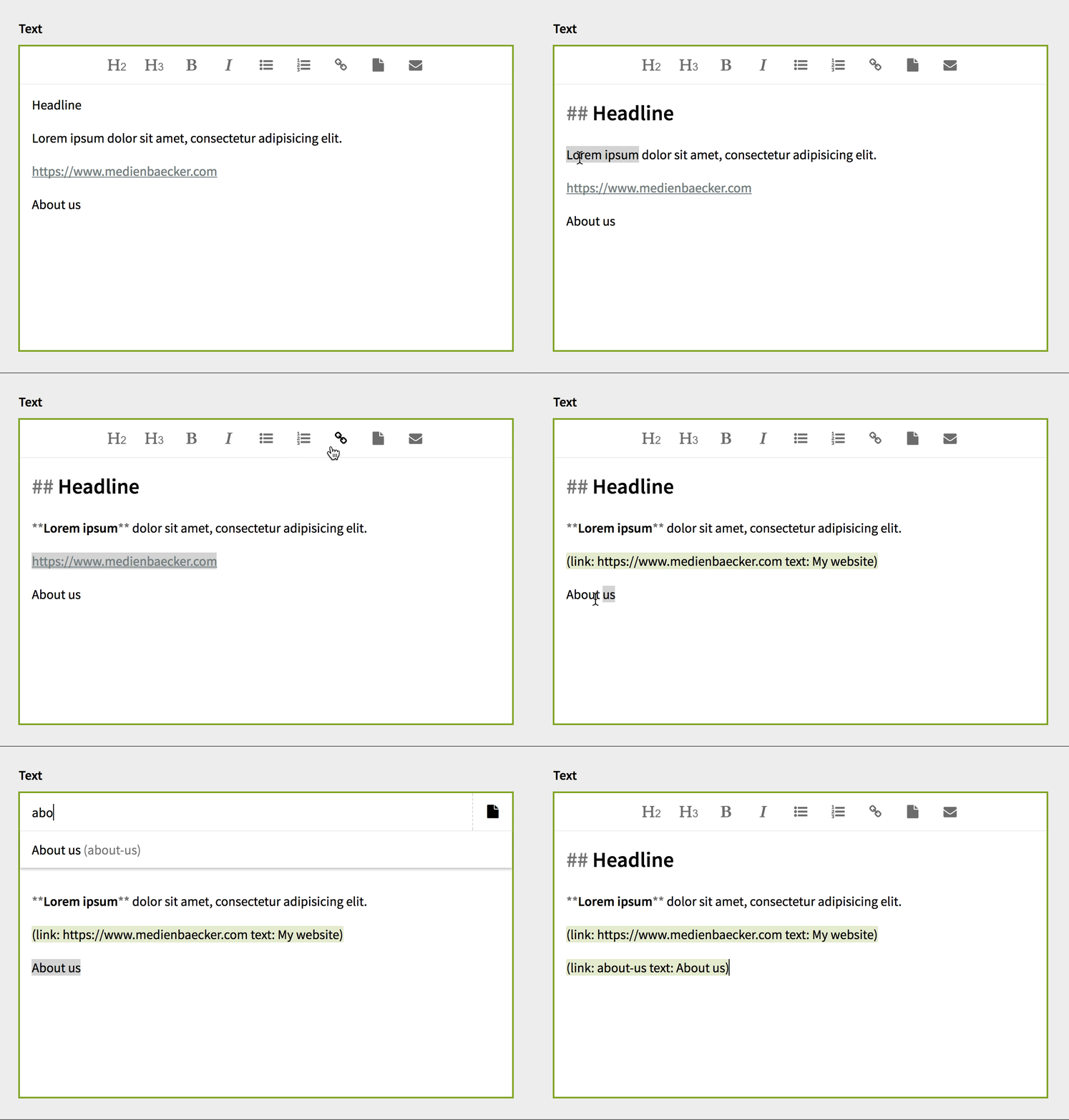
This is a textarea with Markdown highlighting using [SimpleMDE](https://github.com/sparksuite/simplemde-markdown-editor).
|
||
|
|
|
||
|
|
|
||
|
|
|
||
|
|
## Installation
|
||
|
|
|
||
|
|
Put the `kirby-simplemde-master` folder into your `site/plugins` folder and rename it to `simplemde`.
|
||
|
|
|
||
|
|
You can then replace your `textarea` fields with `simplemde` like that:
|
||
|
|
|
||
|
|
|
||
|
|
```
|
||
|
|
text:
|
||
|
|
label: Text
|
||
|
|
type: simplemde
|
||
|
|
```
|
||
|
|
|
||
|
|
## Features
|
||
|
|
|
||
|
|
Compared to the built-in textarea, this field has some advantages:
|
||
|
|
|
||
|
|
- Live Markdown highlighting. Including green Kirbytags.
|
||
|
|
- Undo/redo via `Ctrl`/`⌘` + `Z`/`Y`.
|
||
|
|
- No modals for URLs and email addresses as this prevents the buttons from showing in structure fields.
|
||
|
|
- Automatic link/email detection when selecting text and using the `link` or `email` button.
|
||
|
|
- Easy to add custom buttons
|
||
|
|
- Sticky toolbar on the top for better reachability
|
||
|
|
|
||
|
|
## Options
|
||
|
|
|
||
|
|
### Buttons
|
||
|
|
|
||
|
|
By default the following buttons are displayed:
|
||
|
|
|
||
|
|
- `h2`
|
||
|
|
- `h3`
|
||
|
|
- `bold`
|
||
|
|
- `italic`
|
||
|
|
- `unordered-list`
|
||
|
|
- `ordered-list`
|
||
|
|
- `link`
|
||
|
|
- `pagelink`
|
||
|
|
- `email`
|
||
|
|
|
||
|
|
There are also some more built-in buttons:
|
||
|
|
|
||
|
|
- `h1`
|
||
|
|
- `quote`
|
||
|
|
- `code`
|
||
|
|
- `horizontal-rule`
|
||
|
|
|
||
|
|
You can define what buttons you want to use for any field:
|
||
|
|
|
||
|
|
```
|
||
|
|
text:
|
||
|
|
label: Text
|
||
|
|
type: simplemde
|
||
|
|
buttons:
|
||
|
|
- h1
|
||
|
|
- italic
|
||
|
|
- link
|
||
|
|
```
|
||
|
|
|
||
|
|
And you can also globally define default buttons for any SimpleMDE field on your site by setting the `simplemde.buttons` variable in your config.php (Thank you, [rasteiner](https://github.com/rasteiner)):
|
||
|
|
|
||
|
|
```php
|
||
|
|
c::set('simplemde.buttons', array(
|
||
|
|
"bold",
|
||
|
|
"italic",
|
||
|
|
"link",
|
||
|
|
"email"
|
||
|
|
));
|
||
|
|
```
|
||
|
|
|
||
|
|
### Page link
|
||
|
|
|
||
|
|
As of version 1.1.2 this field will automatically hide modules and modules container pages with the title `_modules` from the page list. To include them you can add this to your `config.php`:
|
||
|
|
|
||
|
|
```
|
||
|
|
c::set('simplemde.excludeModules', false);
|
||
|
|
```
|
||
|
|
|
||
|
|
### Highlighting
|
||
|
|
|
||
|
|
If you don't want to highlight Kirbytags you can add this to your `config.php`:
|
||
|
|
|
||
|
|
```
|
||
|
|
c::set('simplemde.kirbytagHighlighting', false);
|
||
|
|
```
|
||
|
|
|
||
|
|
### Replace core textarea
|
||
|
|
|
||
|
|
You can replace the core textarea with this setting in your `config.php`:
|
||
|
|
|
||
|
|
```
|
||
|
|
c::set('simplemde.replaceTextarea', true);
|
||
|
|
```
|
||
|
|
|
||
|
|
|